

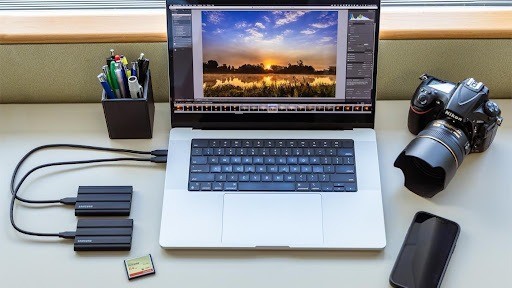
Travel videos capture memories that photographs cannot always preserve. From busy city streets to beautiful landscapes, recordings help travelers relive their favorite experiences. However, footage often ends up scattered across smartphones, cameras and laptops.
Organizing videos before your next trip helps free up storage and prevents important recordings from getting lost. Convertio provides an online video converter that transforms uploaded videos into selected formats through a browser, helping travelers prepare compatible files without installing additional software.
A few simple steps can turn a disorganized collection into an accessible video library.
- Collect your travel videos
- Create a clear folder structure
- Choose the right video format
- Convert videos with Convertio
- Manage storage space
- Protect your footage
- Prepare videos for sharing
Collect your travel videos
Travel footage often exists across several devices. Smartphones, digital cameras and memory cards may contain recordings from the same journey.
Start by transferring everything into one folder on your computer or external drive.
Check your smartphone, camera memory cards, laptop folders and cloud storage accounts. Copy files instead of moving them immediately to reduce the risk of losing recordings.
Before deleting anything from the original devices, confirm that the transferred videos open correctly.
Create a clear folder structure
A consistent folder structure makes recordings easier to find. Organize videos by destination and year, then create additional folders for individual days or activities.
For example:

Descriptive filenames also help. A name such as 2026_Rome_Colosseum.mp4 provides more information than a camera-generated filename.
Keep original recordings separate from edited versions to prevent accidental overwriting.
Choose the right video format
Different devices produce different video formats. A smartphone may record MOV files, while another camera saves footage as MP4.
Understanding common formats helps prevent playback problems.
MP4 is widely supported, although compatibility also depends on the video and audio codecs.
| Format | Common use |
| MP4 | General playback and sharing |
| MOV | Camera recordings and editing |
| AVI | Older video collections |
| MKV | Video and audio storage |
| WebM | Web-based playback |
Changing a filename extension does not convert a video. The file must be processed using suitable conversion software.
Convert videos with Convertio
Video conversion becomes useful when a recording cannot be opened, uploaded or edited in its original format.
For example, footage recorded on a camera might not work with a particular editing application. Converting the file into a supported format can solve this problem.
The process involves four steps:
- Upload the original recording.
- Select the desired output format.
- Start the conversion.
- Download and check the converted file.
Always keep the original recording until the converted version has been tested.
Conversion may reduce image quality when the video is compressed again. Choose appropriate settings and avoid converting the same recording repeatedly.
Consider privacy before uploading personal footage to an online service.
Manage storage space
High-resolution recordings consume considerable storage space. Large collections can quickly fill smartphones, laptops and memory cards.
Start by removing unusable footage and unnecessary duplicates. Review recordings carefully before deleting them.
Compression can reduce file sizes, although lower resolutions and bitrates may affect image quality.
Keep high-quality originals of important memories and create smaller copies for everyday viewing or sharing.
Before departure, check the available storage on every recording device.
Protect your footage with backups
A single copy of an important recording is vulnerable to device failure, theft or accidental deletion.
The 3-2-1 backup method provides a practical solution:
- Keep three copies of important files.
- Use two different storage types.
- Store one copy in another location.
For example, keep footage on a computer, an external drive and a cloud storage service.
Check backups occasionally to confirm that recordings remain accessible.
Prepare videos for easy sharing
Different platforms have different requirements for video formats, resolution and file size.
A short clip intended for messaging may benefit from compression, while footage intended for editing should retain higher quality.
Check the requirements of the destination platform before converting a recording.
Review videos for private information, visible addresses and people who may not want their images shared.
Keep your travel memories organized
Organizing travel videos becomes easier when it is done regularly. Transfer recordings, create clear folders, convert incompatible files and maintain reliable backups.
Before every departure, confirm that your devices have sufficient storage and that important recordings exist in multiple locations.
A simple routine protects existing memories and creates space for new experiences, allowing travelers to focus on enjoying their next journey.